Knowledge Base
How to Update Nameservers For Multiple Domains
- Log in to your Domain Dashboard.

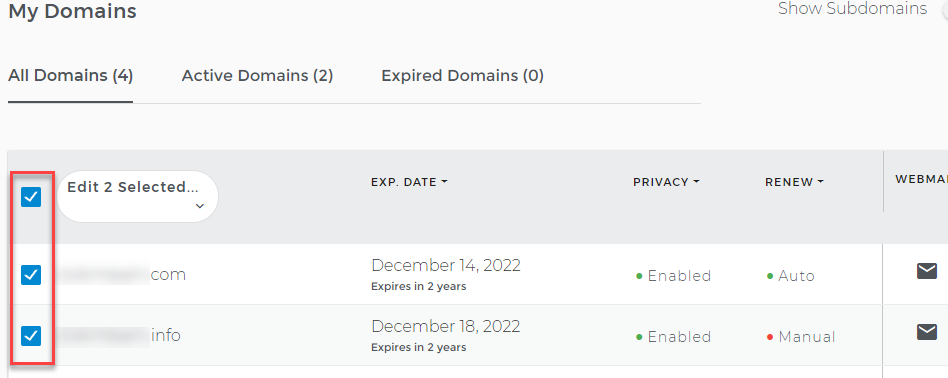
- On the Domains page, check the box next to each domain you want to modify.
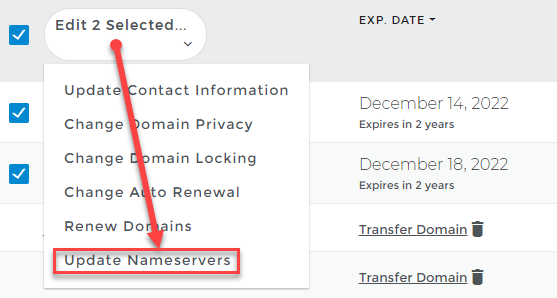
- Click Edit Selected, then choose Update Nameservers from the drop-down list.
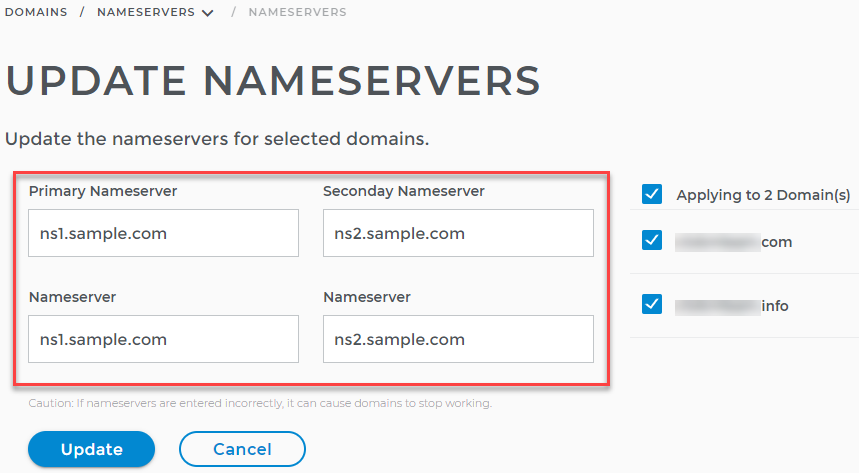
- Type the Primary and Secondary Nameservers in their respective boxes.
- Click the Update button.
Note: Updating the nameservers of a domain usually takes 0 to 24 hours to take effect, but they are known to take as long as 48 hours to go into full effect.