Knowledge Base
How to Change Auto Renewal Settings for Multiple Domains
- Log in to your Domain Dashboard.

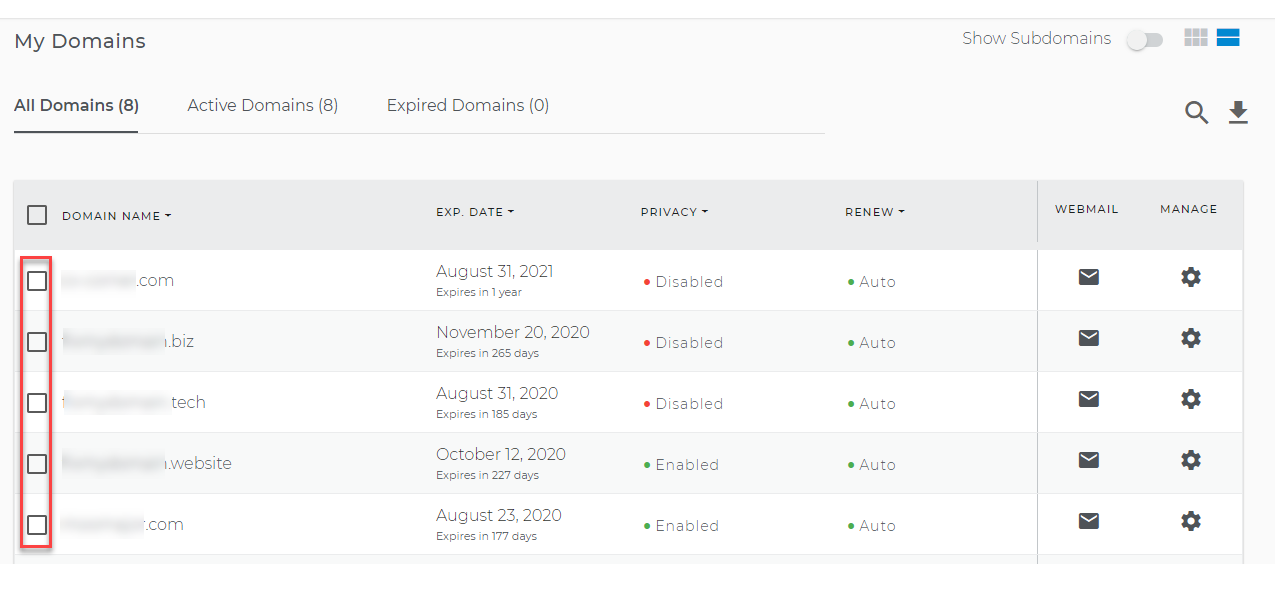
- From your domain list, select the domains that you want to modify.
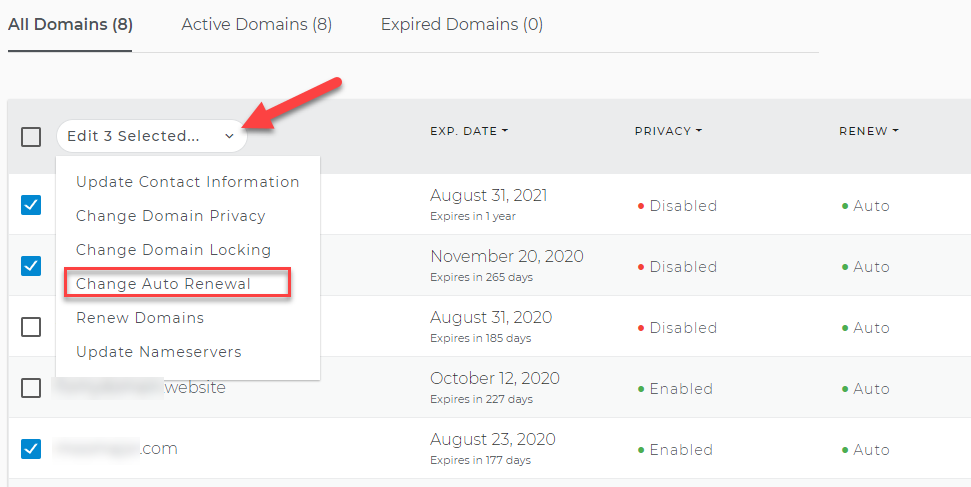
- Click on the dropdown menu and select Change Auto Renewal.
- From the Change Auto-renewal page, you can click on either:
- Enable auto-renewal for selected domains. Select this option if you want to enable automatic renewal.
- Disable auto-renewal for selected domains. Select this option if you want to disable automatic renewal.
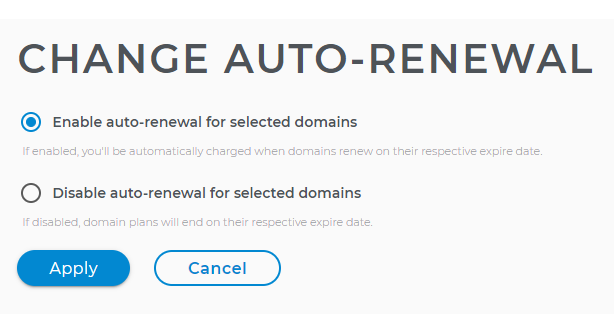
5. Once you have selected your desired option, click on the Apply button to save the changes.