Knowledge Base
Email Management: How to Change a Mailbox Password
In this article, we will discuss:
- Current Control Panel Experience
- Old Control Panel Experience
- I Forgot My Mailbox Password. How Do I Retrieve It?
Current Control Panel Experience
Follow the steps below to change the password of a mailbox.
Important: If you are an end-user only of the email and don't have access to the Domains Dashboard, feel free to contact the Account Administrator.
- Log in to your Domains Dashboard.

- On the dashboard, select the domain where your email address is situated.
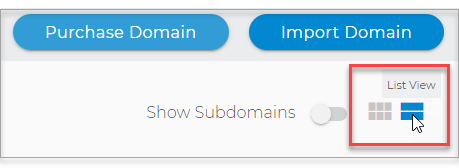
There are two views in the Domains dashboard - the Card and List views. Click on the view icons to switch to your preferred view.
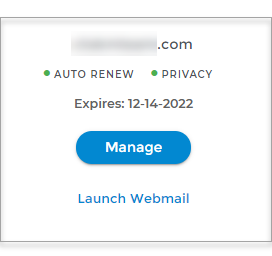
- Choose the domain you wish to modify.
In the Card view, click the domain's Manage button.
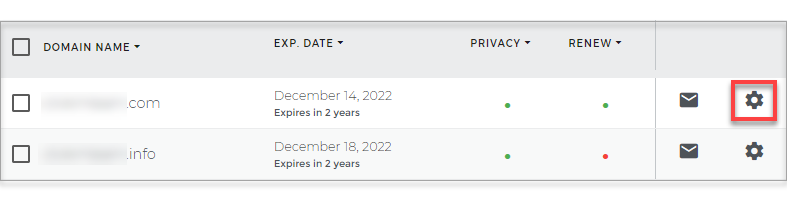
In List view, click the domain or its gear icon on the right-hand side.
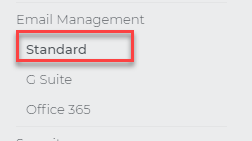
- Click Standard under Email in the left navigation menu.
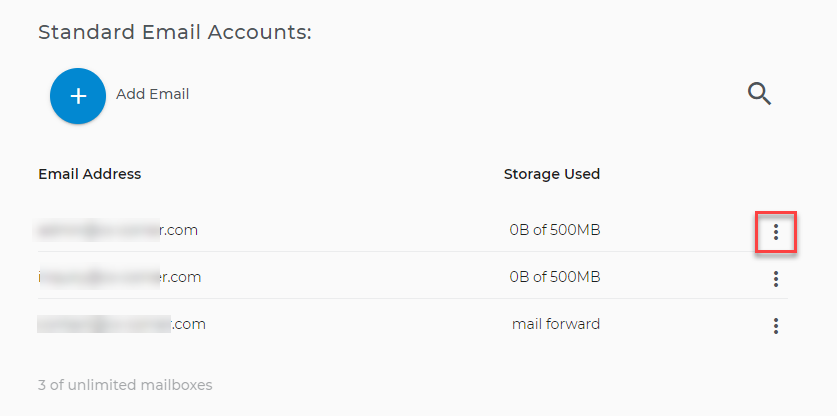
- From your standard email address accounts list, click the three-dot menu of the mailbox for which you want to change the password.
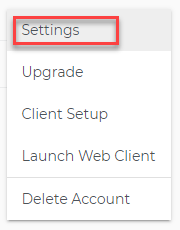
- Select Settings from the options.
- A Settings window will appear.
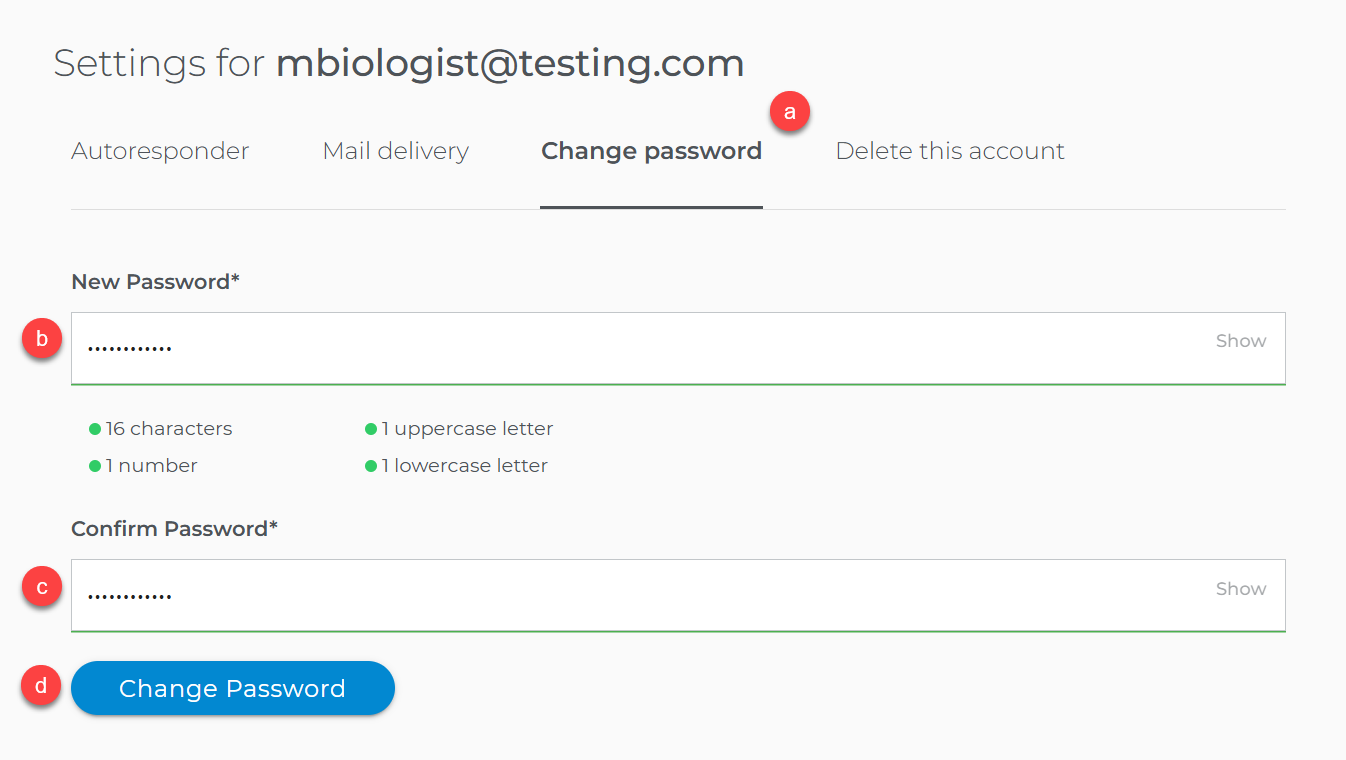
- Go to the Change password tab.
- Enter the new password for the mailbox.
- Confirm the new password by typing it in the field provided.
- Click the Change Password button.
The mailbox password has been changed.
Old Control Panel Experience
Follow the steps below to change the mailbox password if you are being routed to an old control panel.
Important: If you are an end-user only of the email and don't have access to the Domains Dashboard, feel free to contact the Account Administrator.
- Go to Mail Central.
- Select the email address you want to update the password for.
- Click the Basic Info tab.
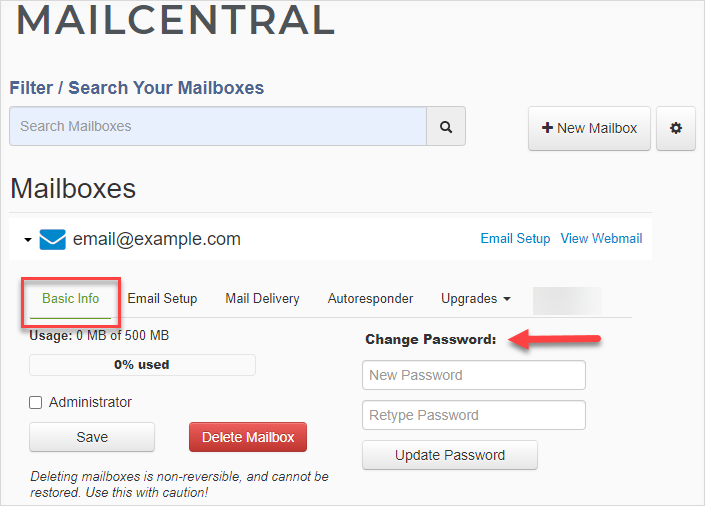
- Under Change Password, enter and retype your new password.
- Click the Update Password button.
The mailbox password has been changed.
I Forgot My Mailbox Password. How Do I Retrieve It?
There is no other way to retrieve a mailbox's existing password. If you have forgotten your mailbox password, follow the steps provided in this article to reset it.