Knowledge Base
Categories: Websites
How to Create an Under Construction Page
Whereas you're building your new site, you might not need your guests to be able to see its pages until it's prepared. There are website programs that let you make your site on your computer locally and, after that, transfer it to a web server to be open by guests. This way, you may as it saw your website's pages.
But there is an alternative way to construct your site directly in your hosting provider. This way, you can make an "Under Construction" or a "Coming Before long" page to be displayed to your guests, so they don't see the changes you make until it's done.
A web hosting commonly reads a list of pages to set as the homepage of your site in this arrangement: index.htm, index.html, index.php, and default.htm. If one of these filenames is read, it'll be displayed as your website's homepage. Web design programs most regularly make an index.html or index.php page. When you need to publish your site, regardless if it is only for testing, it is likely that the primary page will be displayed to the public. This article will guide you on how to create a placeholder page so merely can work on your website background.
How to Setup Domain Pointers
Hosting Tools: File Manager
How to Create New Files and Folders Using File Manager
How to Edit Files Using File Manager
But there is an alternative way to construct your site directly in your hosting provider. This way, you can make an "Under Construction" or a "Coming Before long" page to be displayed to your guests, so they don't see the changes you make until it's done.
A web hosting commonly reads a list of pages to set as the homepage of your site in this arrangement: index.htm, index.html, index.php, and default.htm. If one of these filenames is read, it'll be displayed as your website's homepage. Web design programs most regularly make an index.html or index.php page. When you need to publish your site, regardless if it is only for testing, it is likely that the primary page will be displayed to the public. This article will guide you on how to create a placeholder page so merely can work on your website background.
- Log in to your Hosting dashboard.

- Click on File Manager in the left panel.
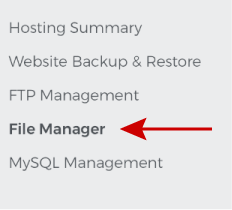
- Click on New Folder found in the top toolbar of the page and name it 'underconstruction_page.'

- Inside your newly created folder, create a file name 'index.html'

- To edit your index.html file, click the three dots on its right side and select Edit.

- Copy-paste this HTML code insider the box:
<h1 style="text-align: center;"><span style="color:#c0392b;"><b>THIS SITE IS UNDER CONSTRUCTION</b></span></h1>
- Click Save.
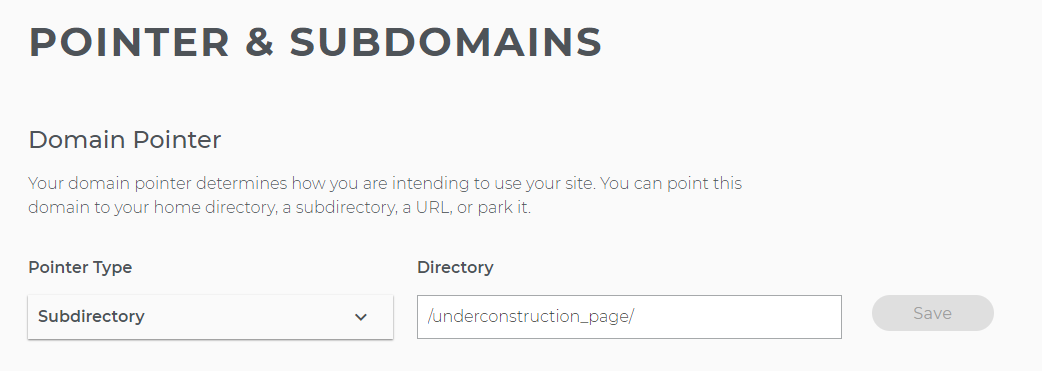
- Once you save it, go to your domain pointers and have your domain pointed to the folder name you just created, then click Save.
How to Setup Domain Pointers
Hosting Tools: File Manager
How to Create New Files and Folders Using File Manager
How to Edit Files Using File Manager