Knowledge Base
Managing Users in Your MySQL Database
How to add new users to your MySQL database.
How to change a user's password.
How to delete users.
How to set or change database privileges for a user.
To add new users to your MySQL database:
- Log in to your account Hosting Summary.

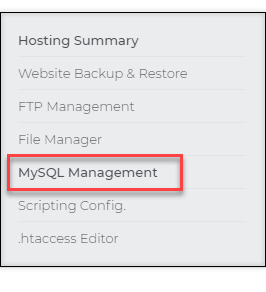
- On the left pane, click on MySQL Management.
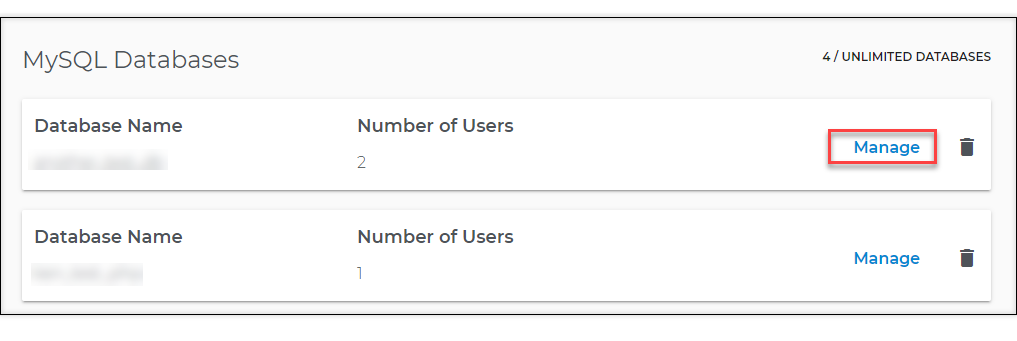
- The next page will show your MySQL databases. Click the Manage link of the database to which you wish to add users.
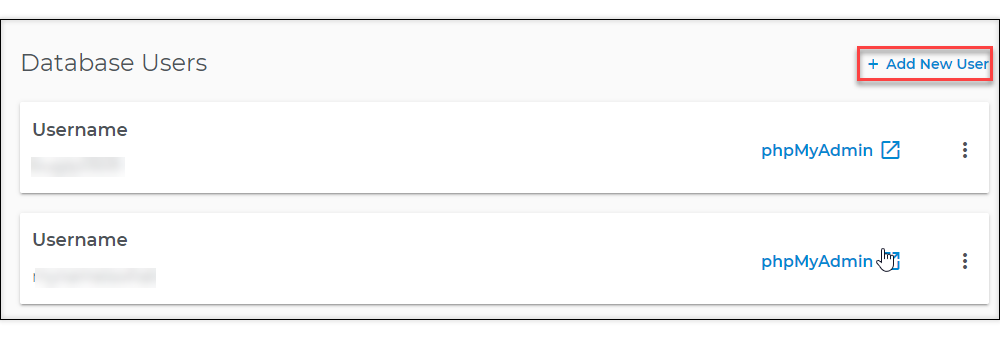
- Scroll down to the Database Users section and look for the + Add New User link.
- On the dialog box, enter the new user name, password, and password confirmation. Then click Next.
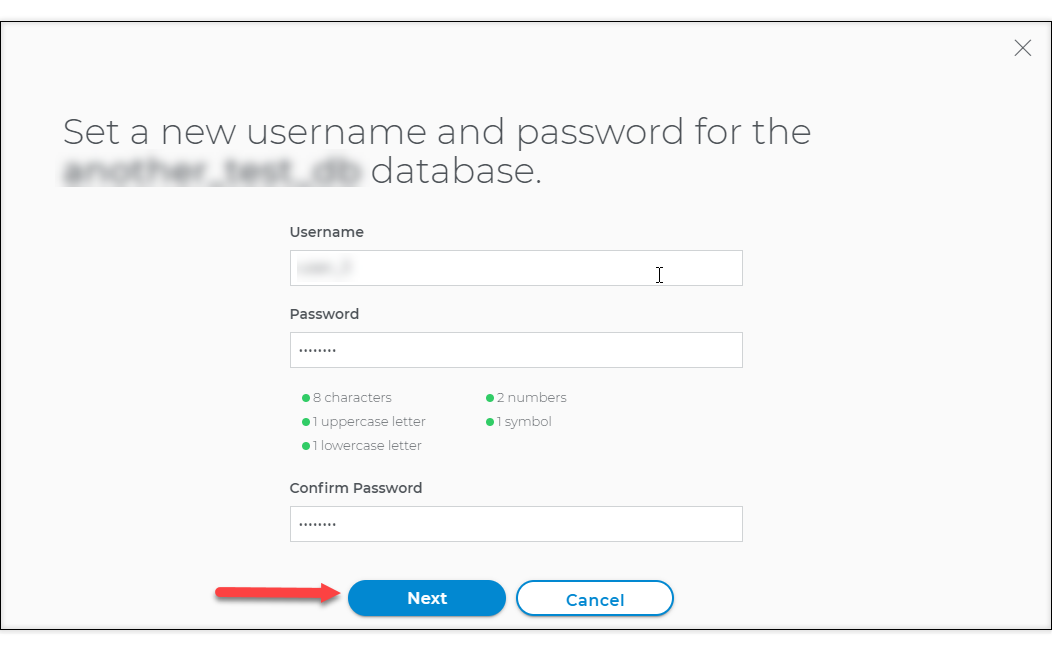
- Normally we check for username uniqueness and password validity.
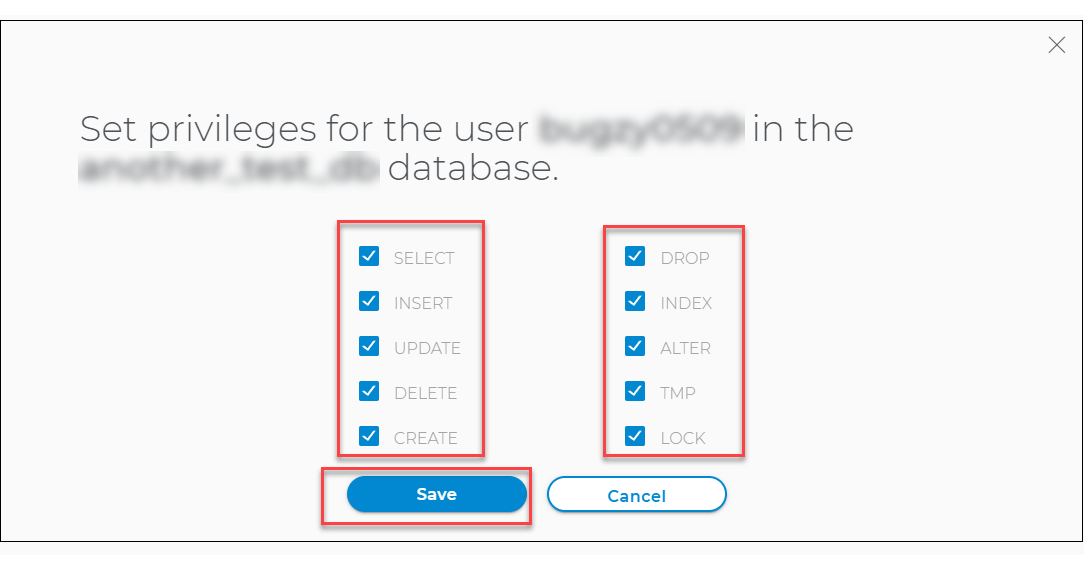
- On the next dialog box, set privileges for your new user. Once done, click Save.
Change the user's password in your MySQL database
To change the password for a user in your MySQL database:
- Log in to your account Hosting Summary.
- On the left pane, click on MySQL Management.
- The next page will show your MySQL databases. Click the Manage link of the database where your users are.
- Scroll down to the Database Users section. Look for the username to be modified and click the three-dot menu on its right.
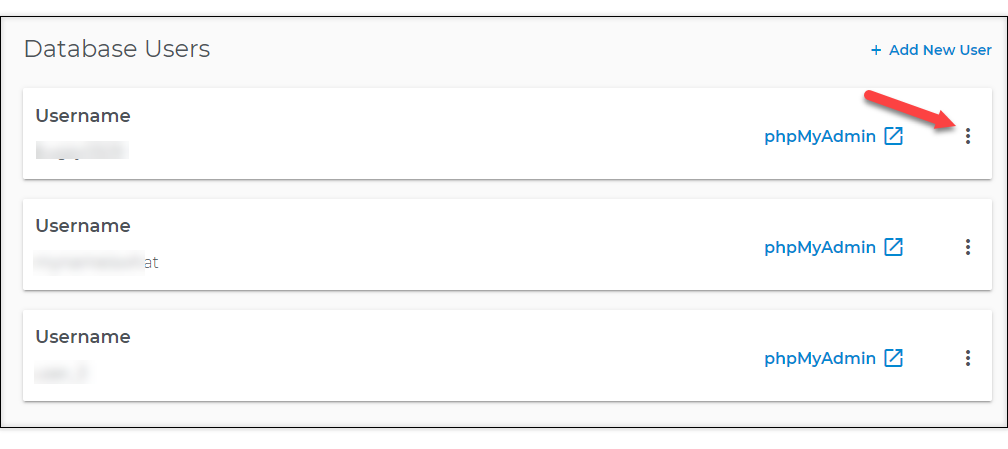
- Click Change Password.

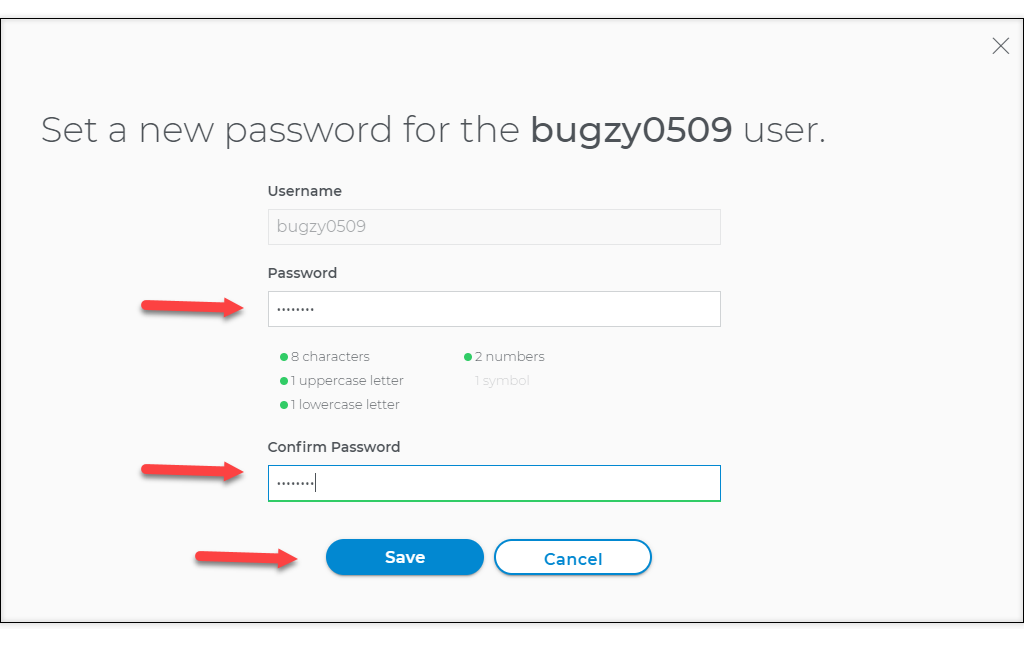
- The Change Password dialog is displayed. Enter the new password and confirm it. Then, click Save.
Delete users from your MySQL database
To delete a user from your MySQL database:
- Log in to your account Hosting Summary.
- On the left pane, click on MySQL Management.
- The next page will show your MySQL databases. Click the Manage link of the database where your users are.
- Scroll down to the Database Users section. Look for the username to be removed and click the three-dot menu on its right.
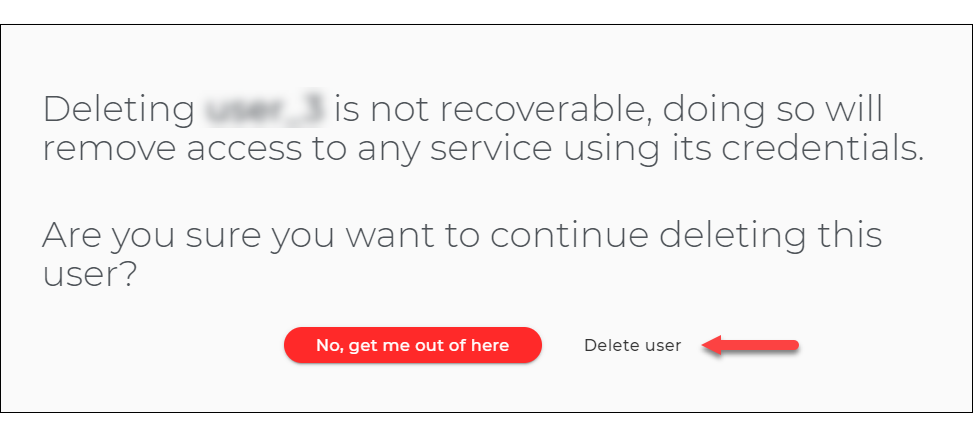
- Click Delete User.
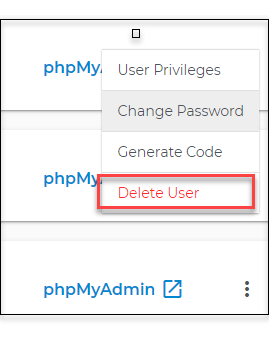
- Click on Delete user.
Set or change database privileges for a user in your MySQL database
To set or change database privileges for a user in a MySQL database:
- Log in to your account Hosting Summary.
- On the left pane, click on MySQL Management.
- The next page will show your MySQL databases. Click the Manage link of the database where your users are.
- Scroll down to the Database Users section. Look for the username to be modified and click the three-dot menu on its right.
- Click User Privileges.
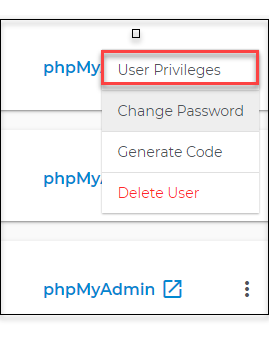
- The Set Privileges dialog is displayed. From here, you can specify the privileges you want to give to this user.
- Click the Save button once done.