Knowledge Base
Categories: PHP
Scripting: How to Update Your PHP Version
- Log in to your account Hosting Summary.
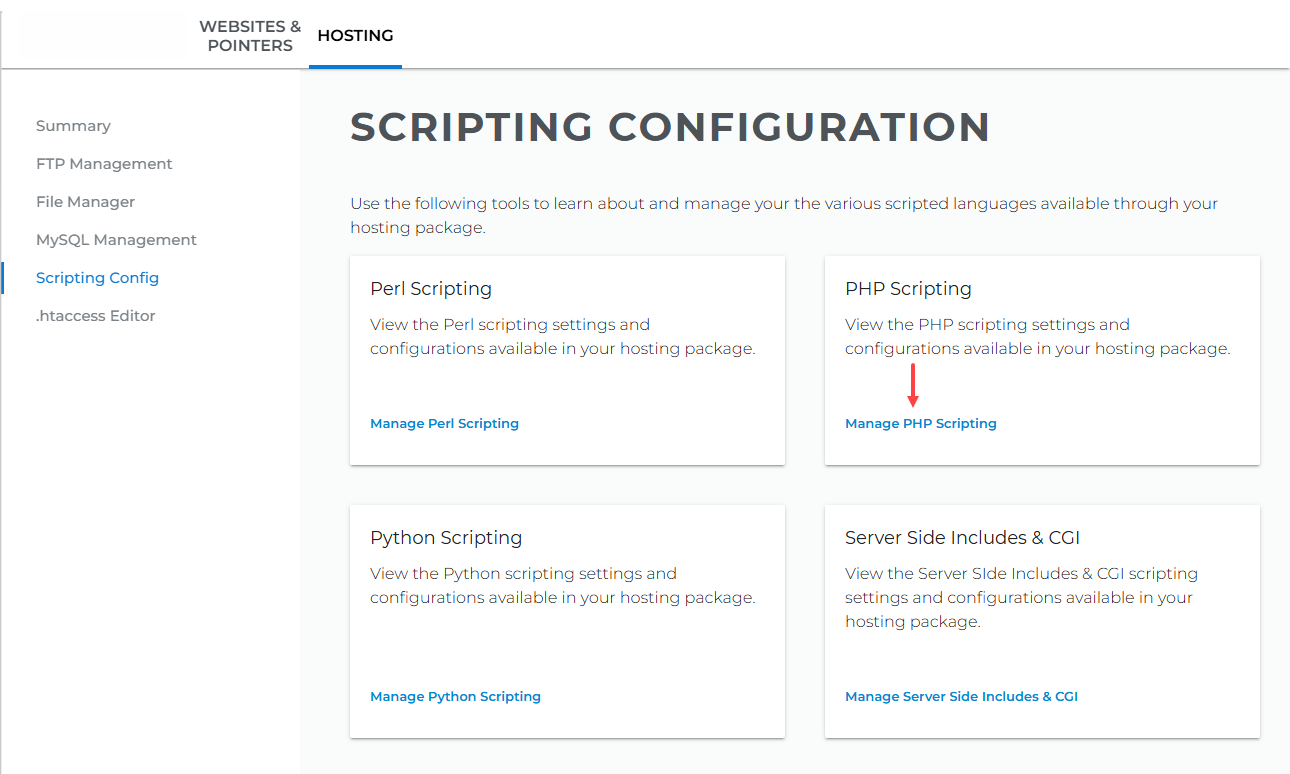
- Go to Hosting, select Scripting Config, then click Manage PHP Scripting under PHP Scripting.
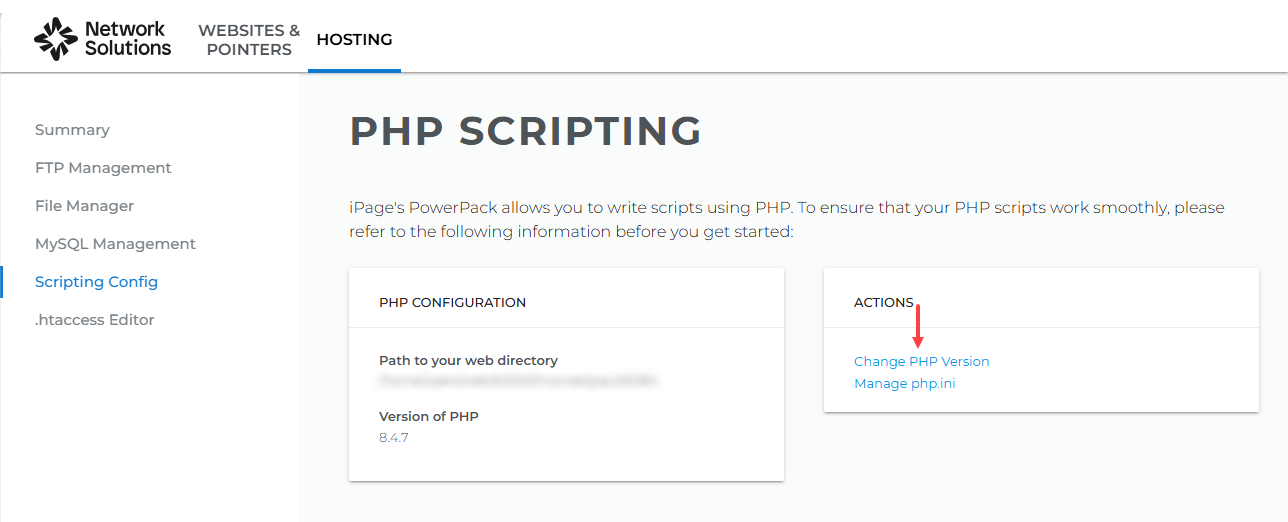
- Click Change PHP Version under Actions.
- To change the PHP version, complete the following steps:
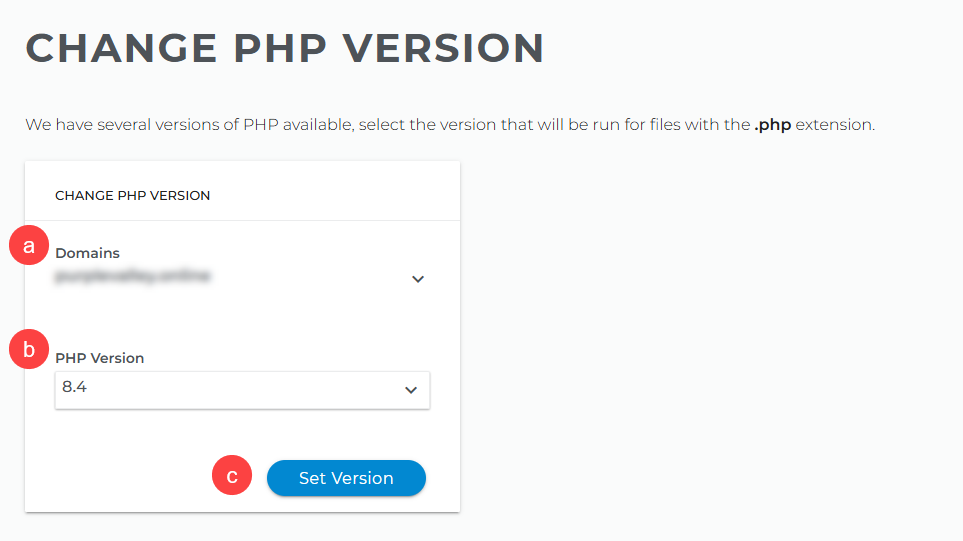
- Select the domain for which you want to change the PHP version from the dropdown.
- Select the appropriate version number.
- Click Set Version to save changes.
The current PHP Versions are 5.3 / 5.5 / 5.6 / 7.0 / 7.1 / 7.2 / 7.3 / 7.4. / 8.3 / 8.4
Important: Though 7.4 is the most updated PHP version, ensure that your theme and plugins support the new version if you update your PHP for WordPress. If you have an issue, you may need to revert back to the prior version of PHP. It would help if you always kept your plugins and themes updated.
Want to understand the importance of which PHP version you use? Visit this link.
Want to install PHP on VPS? See this Youtube video. Content Is Raw HTML