Knowledge Base
Categories: WebsiteBuilder
WebsiteBuilder: How to Create a Drop-Down Menu
1. Within your website editor, select Pages from the left-hand menu.
2. In the Pages menu, click New Page.
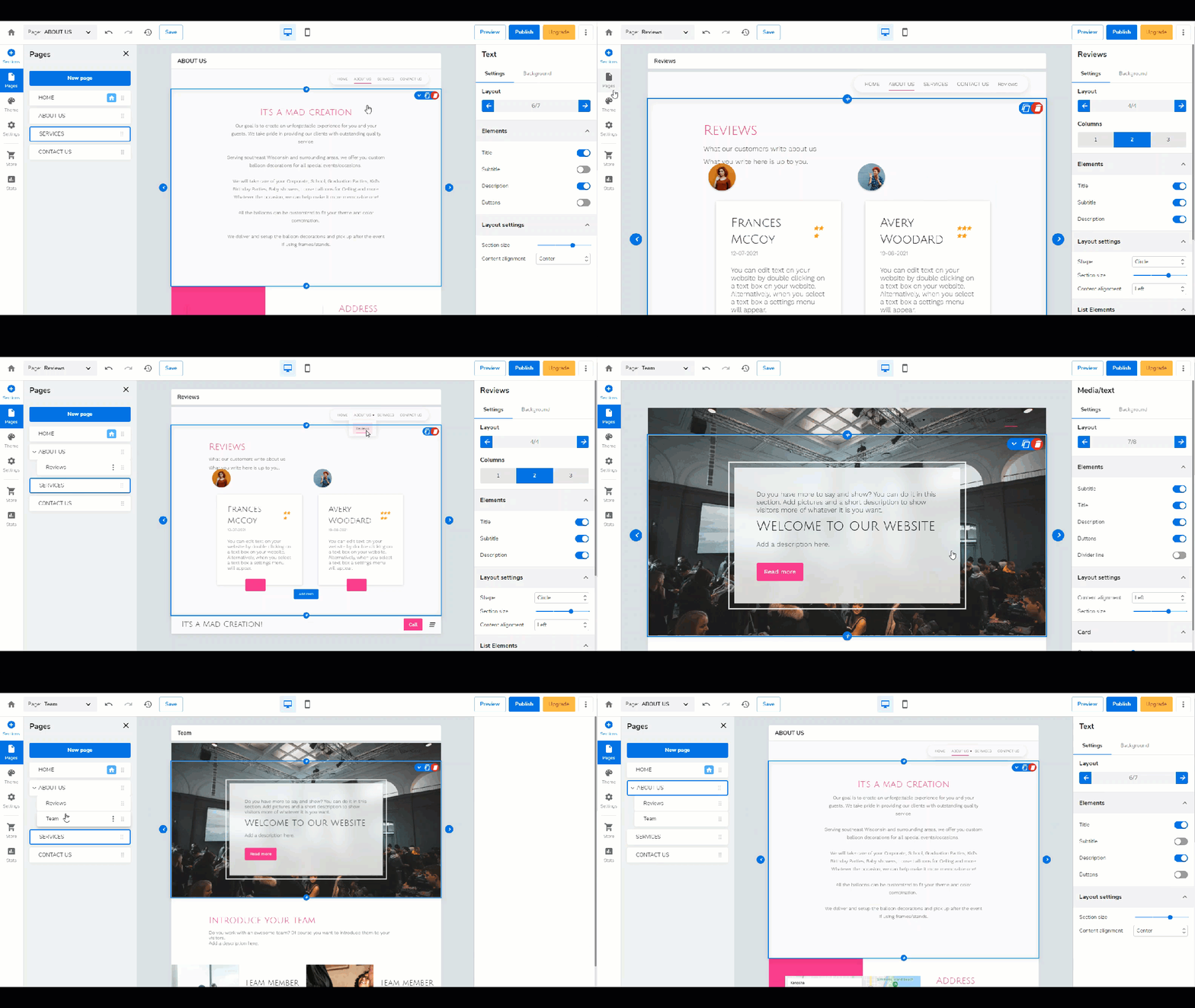
3. When you add a page, you can choose what kind of page you want to add, or you may also choose page templates for easy access.
4. then arrange the page(s) that you would like to appear in the drop-down to be directly below it.
5. Click and drag the page you created under your preferred main menu to make it a sub-page, creating a drop-down menu.
The main menu is 'About Us' on the example below, and then the sub-pages are 'Reviews' and 'Teams.'
WebsiteBuilder: Customizing Your Template - Video
WebsiteBuilder: How to Change Your Theme Design
WebsiteBuilder: How to Add Images
WebsiteBuilder: How to Add a Video
2. In the Pages menu, click New Page.
3. When you add a page, you can choose what kind of page you want to add, or you may also choose page templates for easy access.
4. then arrange the page(s) that you would like to appear in the drop-down to be directly below it.
5. Click and drag the page you created under your preferred main menu to make it a sub-page, creating a drop-down menu.
The main menu is 'About Us' on the example below, and then the sub-pages are 'Reviews' and 'Teams.'
Related Articles:
WebsiteBuilder: How to Access and Edit Your Site - VideoWebsiteBuilder: Customizing Your Template - Video
WebsiteBuilder: How to Change Your Theme Design
WebsiteBuilder: How to Add Images
WebsiteBuilder: How to Add a Video