Knowledge Base
Categories: WordPress
WordPress: How to Create a Coming Soon Page
An under-construction site or a coming soon page is utilized when your website isn’t prepared to be seen by the public. Whether your site is down or still under re-building, creating a 'coming soon' placeholder is a smart move. If you are a WordPress user, creating a coming soon page is an easy task as there are many free plugins that may help you create the suited placeholder page.
Some of the plugins that you can use in creating a WordPress coming soon page are:
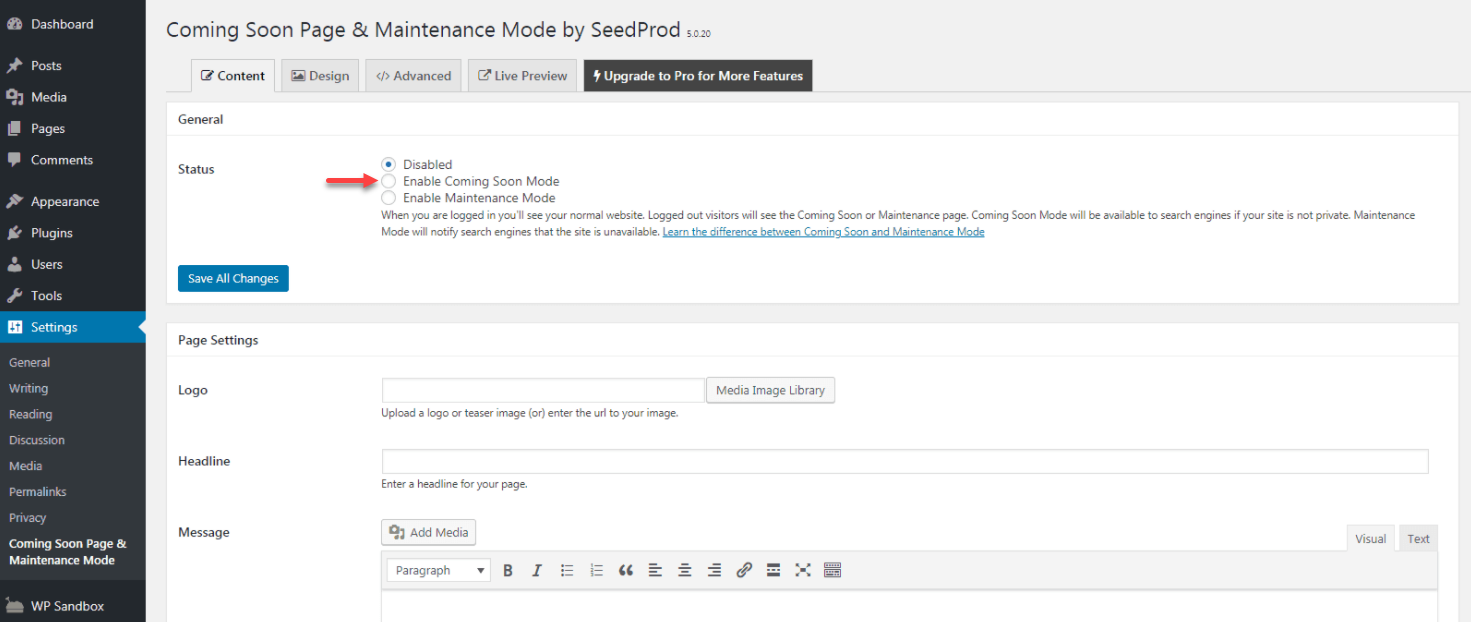
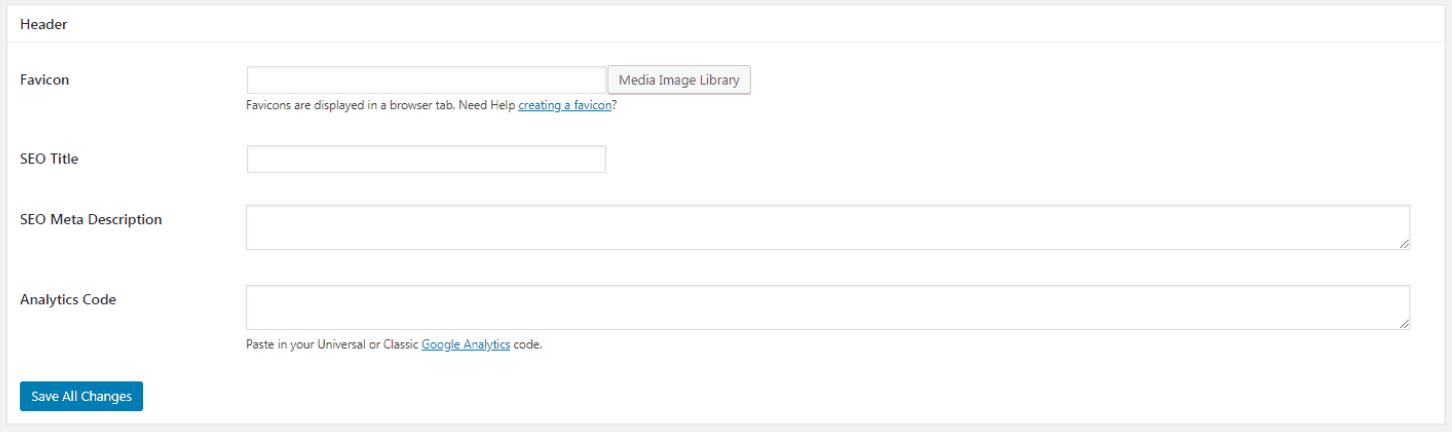
Selecting the Enable Coming Soon Mode in the Content tab is the first thing you need to do. Under the Content tab, you may also upload your message, headline. While you can also enter your site's SEO information at the bottom of the page.
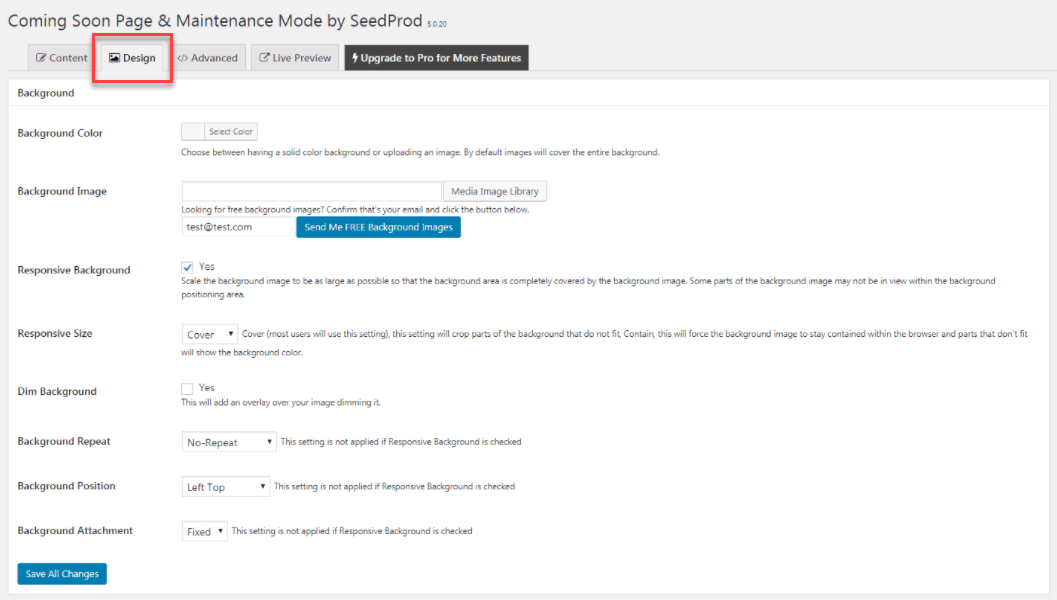
 If you need to configure the background and colors of your coming soon page, then click on the Design tab.
1. Select a Coming Soon Page Plugin
There are numerous choices accessible when it comes to setting up a plugin for your coming soon page. Whereas you don’t need a plugin to make this page, but numerous of them offer solutions to make the process less hassle. This incorporates templates and alternatives to customize components like colors, backgrounds, key highlights such as opt-in shapes, and more.Some of the plugins that you can use in creating a WordPress coming soon page are:
- Coming Soon Page & Maintenance Mode: This plugin lets you create and customize coming soon and maintenance mode pages and comes in both free and premium versions.
- CMP – Coming Soon & Maintenance Plugin: This is a user-friendly and highly customizable option, giving you a lot of control over the look of your coming soon page.
- Nifty Coming Soon & Under Construction Maintenance Page: With this plugin, you get some unique design features, such as a background slider, animated text, and a countdown timer.
- Minimal Coming Soon & Maintenance Mode Page: If you want to keep things simple, this option makes it quick and easy to get your coming soon page up and running.
2. Install and Configure the Plugin
Next, set up your selected coming soon plugin. You'll need to configure how you want it to work once the plugin is activated.Selecting the Enable Coming Soon Mode in the Content tab is the first thing you need to do. Under the Content tab, you may also upload your message, headline. While you can also enter your site's SEO information at the bottom of the page.
3. Design Your Coming Soon Page
Other users are satisfied with a simple coming soon placeholder on their page, but if you need to go beyond the basic template and create a unique coming soon page, then here are some tips to help you throughout the process:- Write your business contact information, so potential customers can still reach you even you haven't finished your site yet.
- Make sure to include your brand tagline, colors, and logo.
- Add your social media link accounts where you'd like to route your visitors while your website is down.
- Include a sign-up form to encourage your visitors to sign up for your email list.